Designing Relational Schemas for Backend Systems
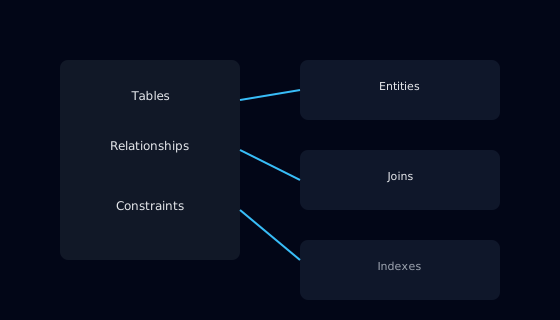
1. Introduction
Relational databases remain a core component of many backend systems. Even when services expose modern APIs and use diverse runtime stacks, business data is often stored in a structured, relational form. A well designed schema makes it straightforward to express business rules, query data efficiently, and evolve the system as requirements change.
Poorly designed schemas, in contrast, lead to duplicated information, inconsistent records, and queries that are either slow or unnecessarily complex. This guide focuses on practical schema design for typical backend applications, avoiding highly specialized database features and concentrating on patterns that are widely applicable.
Instead of presenting a formal data modeling methodology, the guide walks through the decisions you make when turning business concepts into tables, columns, and relationships.
2. Who This Guide Is For
This guide is targeted at backend developers, database practitioners, and technical leads who work with relational databases as part of their services. It is suitable whether you primarily write application code or already have some database experience but want a more structured approach to schema design.
It is also useful for engineers who typically consume existing databases and now have to design or extend schemas themselves. Understanding the reasoning behind table structures and constraints helps you avoid copying problematic patterns from legacy systems.
3. Prerequisites
Before applying this guide, you should be familiar with basic SQL operations such as selecting rows, inserting data, and defining simple tables. You should also understand primary keys and foreign keys at a conceptual level, even if you have not used them extensively.
A rough understanding of your business domain is essential. You need to know what entities matter to your system, such as customers, orders, invoices, or tickets, and how they relate to one another in practice. Detailed specifications are helpful but not strictly required.
4. Step-by-Step Instructions
4.1 Identify Entities and Attributes
Start by listing the main entities in your domain and the information you need to store about each one. For example, a simple order system might have customers, products, and orders. For each entity, capture attributes such as names, identifiers, timestamps, and status fields. At this stage, work in plain language rather than SQL syntax.
Once you have this list, group attributes into candidate tables. Typically, each major entity becomes its own table, with a primary key that uniquely identifies each row. Avoid combining unrelated entities into the same table just to reduce table count; clarity is more important than minimalism.
4.2 Define Keys and Relationships
For each table, choose a primary key. Many systems use surrogate keys such as integer sequences or UUIDs, which decouple identity from business data. In some cases, a natural key such as an email address can be appropriate, but be cautious where business identifiers may change over time.
Next, define relationships between tables using foreign keys. For example, an orders table might contain a customer_id column that references the customers table. Explicit constraints help the database maintain referential integrity and often improve query performance by making relationships clear to the optimizer.
4.3 Normalize Data with Care
Normalization is the process of structuring tables to reduce redundancy and ensure that each fact is stored in exactly one place. Start by removing repeated groups of columns, such as multiple address fields that could be represented as rows in a related table. Ensure that non key attributes depend only on the full key of the table.
However, strict normalization is not an absolute goal. In read heavy systems, limited, controlled denormalization can be valuable. For example, storing a snapshot of a customer name in an order record can preserve historical context even if the customer later changes their primary name. The key is to make denormalization explicit and justified, not accidental.
4.4 Apply Constraints and Data Types
Use appropriate data types for each column. Choose integer types for numeric identifiers, fixed or variable length character types for text, and date or timestamp types for temporal values. Avoid generic types that do not convey meaning, such as storing everything as text, because they make validation and querying harder.
Constraints such as NOT NULL, UNIQUE, and CHECK provide additional guarantees. For example, a NOT NULL constraint on a foreign key ensures that every order is associated with a customer, and a CHECK constraint can enforce that a status column only contains recognized values. Applying these constraints at the database level reduces the risk of inconsistent data when application code changes.
4.5 Design Indexes for Common Queries
Indexes speed up data access by allowing the database to locate rows without scanning entire tables. Start by identifying the most frequent and performance critical queries in your backend. These may include looking up records by primary key, finding orders for a customer, or filtering by status and date ranges.
Create indexes that support these patterns, balancing read performance against write overhead. Composite indexes that cover multiple columns can be particularly helpful for queries with combined filters. Periodically review index usage through database statistics and remove indexes that are rarely used but incur maintenance costs.
5. Common Mistakes and How to Avoid Them
A common mistake is skipping foreign keys to avoid dealing with constraint errors during development. This often leads to orphaned records and inconsistent relationships in production, which are much harder to clean up. Instead, enforce relationships explicitly and adjust your application code to respect them.
Another mistake is overloading columns with multiple meanings or using generic columns such as “data1” and “data2”. These choices make it difficult to understand the schema and hinder future refactoring. Name columns after the business concepts they represent and split unrelated attributes into separate columns or tables.
A third mistake is relying solely on the database to enforce business rules. Some rules, such as complex cross table validations, are better expressed in application code or domain services. Use the database for structural and basic value constraints, and keep more complex policies in a layer where they can be tested and evolved more easily.
6. Practical Example or Use Case
Consider a subscription billing system. Initial designs might combine customers, subscriptions, and invoices into a single table for convenience. Over time, this leads to rows with many nullable columns and duplicated data for customers who hold multiple subscriptions.
By applying the steps from this guide, the team separates the schema into distinct tables for customers, subscriptions, and invoices, each with clear keys and foreign key relationships. Constraints enforce that invoices reference valid subscriptions and that subscriptions reference valid customers. Indexes support common queries such as retrieving active subscriptions for a customer or listing unpaid invoices.
The result is a schema that reflects the true structure of the domain, simplifies query writing, and reduces inconsistencies in billing data.
7. Summary
Relational schema design is a foundational skill for backend development. By identifying entities and attributes, defining keys and relationships, applying normalization thoughtfully, and choosing appropriate data types and constraints, you create a database structure that supports both correctness and performance.
Designing indexes based on real query patterns and avoiding common pitfalls such as missing foreign keys or overloaded columns further strengthens the schema. With these principles, your relational database becomes a reliable backbone for your backend services rather than a hidden source of complexity.